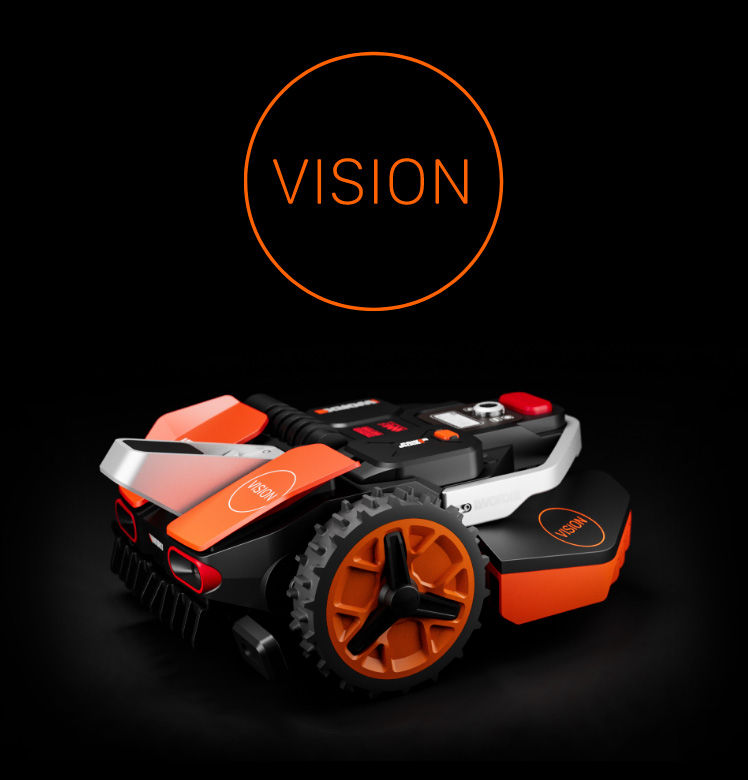

Re-engineered
for maximum
laziness

Click here
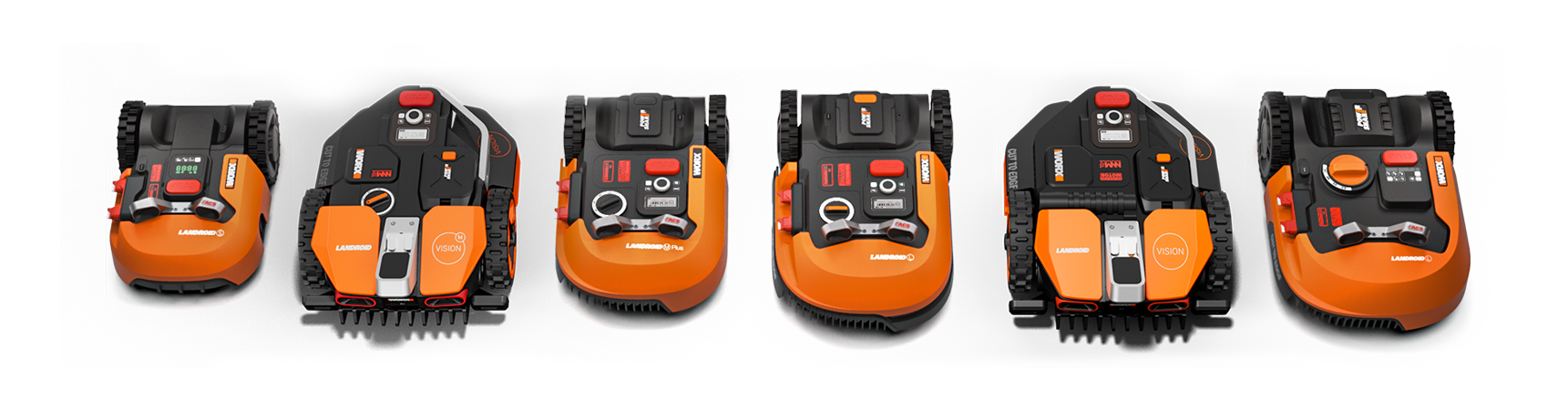
Choose your Landroid

Subscribe to our newsletter

You will receive product updates and exclusive offers

Privacy Policy

Want to change
any preset at anytime?
All you have to do is press the
increase-decrease buttons.
Easy.

Landroid is
pre-programmed,
so you don’t have to

All robots are stupid

But Landroid is less stupid than the others

Landroid is able to mow narrow,
intricate areas of your lawn

Landroid M is
suitable to any lawn
size up to 1,000m²

Want to receive product upgrades? Subscribe our newsletter

Privacy Policy

Designed
to make your
life easier

Landroid takes care of your lawn autonomously.
Packed with a full set of features, it’s easy to install
and program. And it’s safe to you and the environment.

Watch-n-do

Watch the easy-to-follow, step by step tutorial directly on your smartphone, while you are making the installation. Video tutorial
Click here

Celebrate

Installing the invisible fence will only take a couple of hours. Make sure you have a bottle ready in your fridge… you’ll never have to mow your lawn again.

Download center

Program guideClick here Installation manualClick here

Operating cost

Worried about your electricity bill? We did the math: having your lawn perfectly manicured for the entire season will cost you approximately 3 pounds in electricity*. Yes, three pounds a year. A small fraction of what you would spend in gas for your noisy, polluting, tiring push mower.
* Calculated for a 500sqm lawn. Source: www.energy.eu
  • Specifications

  • Key features

  • In the box

  • Power and charging

    • Power pack
    28V Li-ion maintenance free no memory effect battery
    • Charging system
    fully automatic
    • Typical runtime
    1 hours
    • Typical charge time
    1,5 hours

    Cutting system

    • Blade type
    3-pivoting blade rotary disc
    • Blade motor
    3 phase brushless
    • Cutting height
    20-60 mm, adjustable

    Overall size

    • Landroid size (LxWxH)
    55x37x26 cm
    • Weight
    8,5 kg

    Security

    • Theft protection
    Alarm
    • Disabling system
    PIN code

    Safety

    • Blade to chassis clearance
    >135 mm
    • Blade stop
    <2 sec
    • Blade inertia
    low
    • Lift sensor
    Yes
    • Tilt sensor
    Yes

    Drive System

    • Motors
    2, brushless
    • Drive wheels
    all-terrain tread
    • Max slope angle
    20° (35%)

    Noise

    • Noise level
    63dB
    • Fully automatic mowing system
    • Automatically returns to charge station
    • Ideal for lawns up to 1,000m²
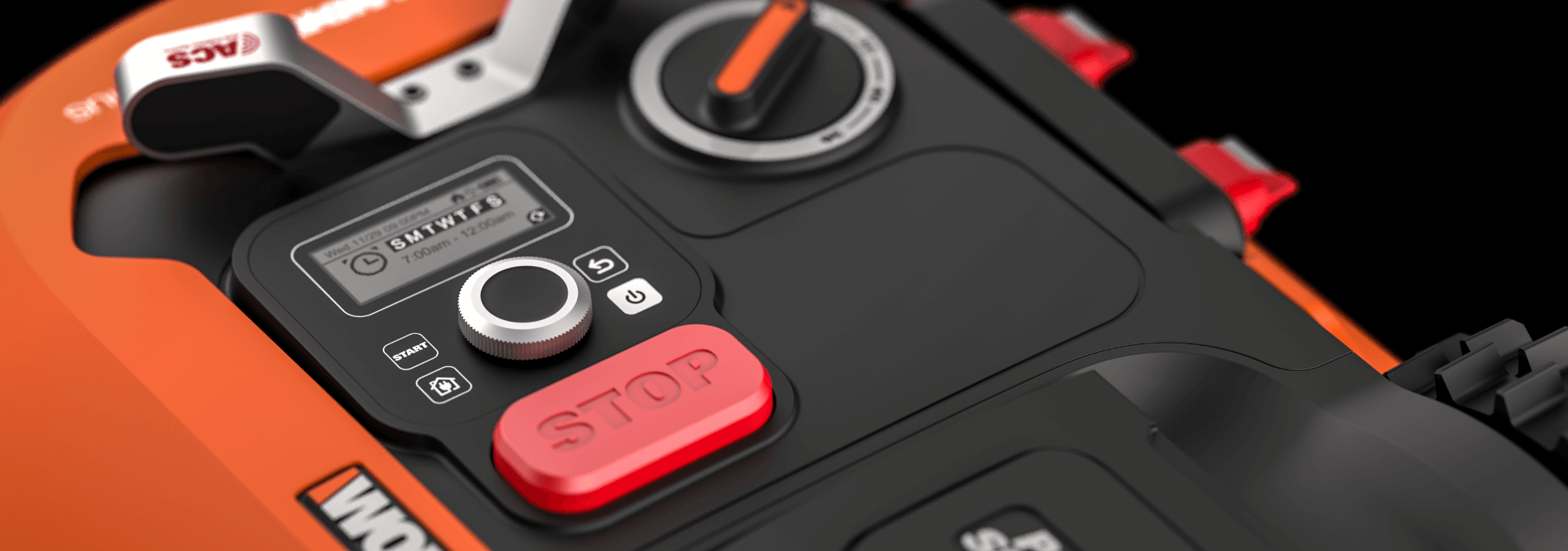
    • Programmable timer for weekly mow schedule
    • Intuitive user interface
    • Easy tool-less cut height adjustment
    • Rain sensor
    • Low noise
    • Zero emission in use
    • PIN code lock
    • Weather proof construction
  • A Charging base
    B Landroid M
    C Pegs
    D Distance gauge
    E Boundary wire reel 180 m
    F Power adaptor
    G 4 nails
    H Installation guide
    I Owner's manual
    J Warranty Statement
    K Programming guide
    L 9 spare blades (3 kits)

Want to receive product upgrades? Subscribe our newsletter

Privacy Policy

Customer service

Download center

FAQ

Installation of Landroid

How do I install Landroid?
We recommend you do it yourself as the machine is easy to set up. You can follow the steps on the Installation Guide or watch the coaching video on www.worxlandroid.com. If you need a chargeable installation service, please call the local helpline number included in the packaging.
Does it take a lot of time to install Landroid?
No. You can easily install Landroid by yourself. The time of installation depends on the size and complexity of your lawn. First of all, we strongly recommend you read the Installation Guide and the Owner’s Manual completely. Take a 100m² lawn for example, it needs about 30~60 minutes to finish the installation work which also depends on your proficiency.
Does it take a lot of time to program Landroid?
Not at all. It only takes several minutes. For more detailed information, please refer to the Programming & Troubleshooting Guide.
Do I need any tools to install Landroid?
Yes, you will need a hammer and a pair of scissors.
What else do I need?
You need an appropriate electrical outlet which Landroid can be connected to.

How to use Landroid

How do I start Landroid?
Your Landroid will start mowing as soon as you close the key pad window. Please note this is based on correct installation and programming. If your Landroid is still not working, please double check the installation and programming by following the steps in the Installation Guide (page 11~14) and Programming & Troubleshooting Guide.
How do I stop Landroid?
Press the access button to stop your Landroid immediately.
How do I set the working time of Landroid?
You can easily instruct your Landroid when to go to work. For more detailed information, please refer to “Setting” in the Programming & Troubleshooting Guide.
How do I store Landroid?
Both Landroid and the charging base should be stored in a shed or a garage if you are not going to use it for an extended period of time. For more detailed information, please refer to “Winter hibernation” in the Installation Guide (page 16).
Can Landroid work in a lawn with ponds?
Yes, it can. You will have to isolate your ponds when setting up the boundary wire to prevent Landroid access. You can set up islands which your Landroid can not enter by following the steps in the Installation Guide (page 11).
How can I protect flowers from mowing by Landroid?
our Landroid has the function to avoid this from happening. We strongly recommend you setting up islands which your Landroid can not enter by following the steps in the Installation Guide (page 11).
Can Landroid work on slopes?
Yes, providing the slope or incline does not exceed 35% or 20 degrees.

Security of Landroid

Does Landroid have a security function?
Yes. Your Landroid has a PIN code which prevents unauthorized people from being able to use it. For more detailed information, please refer to Installation Guide (page 16).
What can I do if I forget my PIN code?
We strongly recommend writing your PIN code down in a safe place or registering your Landroid at www.worxlandroid.com and record your PIN code online. This will help you to retrieve your PIN code. Please note failure to record and remember your PIN code could result in you not being able to use Landroid and could result in additional service charges to make Landroid operational. Please contact your dealer or call the local helpline for advice.
What kind of objects might Landroid have difficulty detecting?
1. An object with a height less that 15cm will not be detected by the Landroid as an obstacle, such as small branches, stones and so on. These objects may cause the failure of blades or blade disk. You should remove them out of the territory of Landroid.
2. An object such as a trampoline with a low frame leg height, in this case you can either isolate the trampoline from the territory of Landroid or place larger obstacles in front of the trampoline legs and frame that Landroid can detect. Please contact your dealer or call the local helpline for advice.
3. Something that can be pushed by Landroid, such as inflatable toys. You should remove them out of the territory of Landroid.
4. Something that can be climbed on by Landroid. You should remove them out of the territory of Landroid.
Can children or pets play in the working area when Landroid is mowing?
No, they can’t. We recommend children and pets are kept away from Landroid when it is mowing.
Is it noisy when Landroid is mowing?
No, it is quiet. The sound is approx. 57dB, about the same volume as a normal conversation.

Maintenance of Landroid

What should I do if Landroid comes across a problem?
Try to get the solution from the Programming & Troubleshooting Guide. If the problem persists, please contact the dealer or call the local helpline for advice.
Does Landroid need regular maintenance?
Yes. For more detailed information, please refer to Owner’s Manual (page 13~16).
How to keep the blades sharp?
We recommend you check the blades every month. For more detailed information, please refer to Owner’s manual (page 15). When all of the blade-edges are worn out, you should replace them with new blades.
What is the lifetime of the blades?
It depends on many things. The most important one is the working time of your Landroid. In common conditions, it’s about 4 months.
How to keep the battery in a good state?
You should fully charge the battery before storage and every 3 months during winter. For more detailed information, please refer to Installation Guide (page 16).
What is the lifetime of the battery?
It depends on many things. We guarantee the battery will last one year, and in common conditions the battery should last 1~ 3 years. For more detailed information, please refer to Owner’s Manual (page 15).
Where can I obtain spare parts for Landroid?
Please contact your dealer or call the local helpline for advice.

Customer feedback

As a valued customer we appreciate your feedback and this will help us to develop new products and services for our customers in the future. If you have any comments or suggestions to make regarding our Worx products or any of our services please provide your feedback in the text-box below.
Please provide your contact details:
Name
Surname
e-mail
Please tick this box if you would like to receive such information.
Privacy Policy

Helpline number

International
Please contact the dealer or call the local helpline for advice.

Download Warranty
Thank you for registering your Landroid. We have now extended your warranty by an extra year. You can now enjoy the peace of mind of 3 years warranty on your purchase.
For full terms and conditions Click here
Where to buy Click here Facebook Youtube

REGISTER YOUR LANDROID NOW AND GET EXTRA YEAR'S WARRANTY FOR FREE

Name
Surname
Serial number
Date of purchase
Store
e-mail
Re-type e-mail

SAFELY STORE YOUR PIN CODE

Your Personal PIN CODE
Re-Type Your Personal PIN CODE
Privacy policy: We record these information for your convenience: by recording your PIN code here, you will always be able to find it would you ever forget it

SAFELY STORE YOUR PIN CODE

Please enter the e-mail address for your account. A verification token will be sent to you. Once you have received the token, you will be able to choose a new password for your account.
e-mail address:
Thanks for contacting us.
We’ ve sent you an e-mail with you PIN CODE

Dealer Locator

Select your country Select your city

Dealer Locator

NEWSLETTER SUBSCRIBE

Welcome in our newsletter
Check your e-mail for upgrades


Thank You